 Built by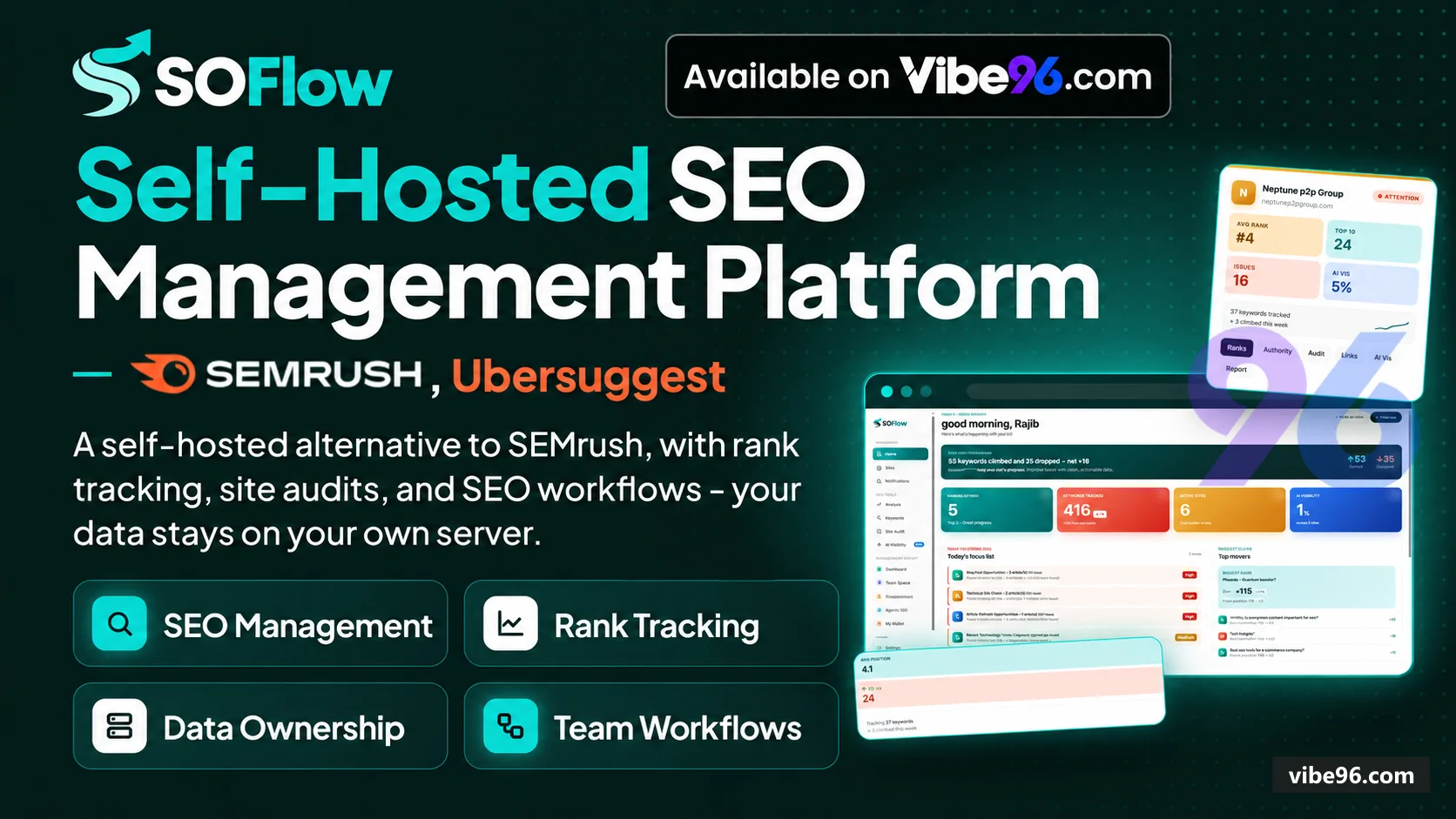
About this software
About SoFlow
SOFlow is an ASP.NET Core 9 MVC platform that agencies and in-house teams install on their own infrastructure to manage every client site from one dashboard. It runs weekly rank checks across 22 controllers, crawls sites for 31 technical issues, tracks backlinks via DataForSEO, monitors AI assistant visibility (Claude, ChatGPT, Gemini), and generates white-label client PDFs. The system is multi-tenant by website: operators assign specialists to the sites they work on, and every module scopes data by user access. No per-seat fees, no external SaaS—client data stays in your SQL Server.
Why SoFlow
What makes it better
than the alternatives
- 01
Database-first schema
- 02
Multi-site scoping with role-based access
- 03
AI visibility tracking
- 04
White-label branding
- 05
Budget guard with API spend tracking
Rank Tracker
- Weekly automated position checks per keyword
- per country
- per city via DataForSEO or Google Programmable Search fallback
- Full SERP capture—all ten organic results stored
- not just client position
- Week-over-week movement with best/worst position and rank history charts
- Keyword groups (topic clusters) with group-level average position scoring
- AI-written keyword analysis explaining why a position moved and recommended actions
- Manual re-check on demand with cooldown gate to prevent API overspend
Site Audit
- Full-site crawler with configurable page limit
- depth and concurrency (SiteAuditWorker background job)
- 31 issue checks: on-page
- technical
- performance
- content
- security
- links
- mobile (SiteAuditService)
- Severity triage—
Critical/Warning/Noticewith affected-page lists per issue - Issue history so operators prove what was fixed between audits
- AI-written fix instructions for each issue class via Claude
- with rule-based fallbacks when no API key set
- Progress polling endpoint for live crawl status updates
Quick Audit
- Paste a URL and up to five keywords
- get scored report in minutes (QuickAuditWorker)
- Technical issues
- Core Web Vitals
- backlink profile
- domain rank and keyword verdicts in one PDF
- Designed as sales tool—run on prospect's site before pitch call
- History view of all past quick audits per user
- PDF export with white-label branding
On-Page Analyzer
- Scores single page out of 100 across title
- meta
- headings
- keyword density
- content length
- images
- schema
- Core Web Vitals
- AI rewrites for weak titles
- meta descriptions and thin content blocks—shown side by side with original
- Page weight breakdown (HTML
- CSS
- JS
- images
- fonts)
- PDF export of analysis with recommendations
- Re-analyze action to track improvements over time
Backlinks & Authority
- Backlink profile with referring domains
- dofollow/nofollow split
- anchor text
- spam score
- lost links (DataForSeoBacklinksService)
- Weekly authority snapshot—domain rank
- organic traffic
- organic keywords
- paid traffic
- paid keywords (DataForSeoDomainRankService)
- Lighthouse desktop and mobile scores—performance
- LCP
- FCP stored per snapshot (DataForSeoLighthouseService)
- Grouped view by referring domain with backlink count and max domain rank
- Manual refresh with cooldown gate (DomainAuthorityRefreshHours setting)
AI Visibility
- Weekly automated queries to Claude
- ChatGPT and Gemini checking brand mentions (AiVisibilityWorker)
- Per-engine status—configured or not—with query history and snippet capture
- Brand alias support—track variations of company name in AI responses
- Trend chart showing mention rate over 12 weeks per engine
- Manual run-now action with job status polling
Competitor Analysis
- Discover competitors from SERP overlap across keyword groups (CompetitorAnalysisWorker)
- Deep analysis per competitor—backlinks
- authority
- top pages
- keyword overlap (DeepCompetitorAnalysisWorker)
- Blocklist for marketplaces and aggregators (BlockedCompetitorDomains table
- global across all sites)
- Weekly SERP report showing competitor movement per keyword (WeeklyReportWorker)
- Competitor appearance tracking—which keywords each competitor ranks for
Visitor Tracking
- Lightweight JS snippet (track.js) captures sessions
- page views
- referrers
- UTM params
- Session replay—page sequence per visitor with timestamps
- Referrer breakdown—organic
- direct
- social
- paid with source domain
- UTM campaign tracking—source
- medium
- campaign
- term
- content
- Unique tracking token per website
- regenerate on demand
Project Management
- Monthly work plan with task assignments per website (ProjectController)
- Task approval workflow—pending
- approved
- rejected states with proof uploads
- Week view and My Week view for assigned tasks
- Master list of all tasks across all sites for Admins
- Task progress tracking with completion percentage
Client Reports
- Automated PDF generation with rankings
- audits
- backlinks
- visitors
- AI visibility (ClientReportWorker)
- Configurable date range—default is last N months (ClientReportMonthsBack setting)
- White-label branding—logos and company details from BrandingService
- Weekly action report with AI-written recommendations (WeeklyReportWorker)
- Report history with view and delete actions
User & Access Management
- Five roles: MainAdmin
- Admin
- Manager
- SEO Specialist
- Client (UsersController)
- Per-site assignment—SEO Specialists see only their assigned websites (WebsiteAssignments table)
- Forced password change on first login (MustChangePassword flag
- RequirePasswordChangeFilter)
- Active/inactive toggle per user with last-login tracking
- Role-based action authorization via ISiteAccessService on every site-scoped endpoint
Admin Settings
- API credentials for Claude
- OpenAI
- Gemini
- DataForSEO
- Google PageSpeed
- SMTP stored in AppSettings table (AdminController)
- Monthly budget and daily spend limits with auto-pause when threshold hit (BudgetGuardService)
- Model selection per AI provider—Claude (claude-3-5-sonnet-20241022)
- OpenAI (gpt-4o)
- Gemini (gemini-2.0-flash-exp)
- SMTP test email action to verify mail configuration
- Backlink refresh interval and PageSpeed toggle
| Language | Version | Framework | Used for | Share of code |
|---|---|---|---|---|
| C# | — | — | Web, API, admin | 51.8% |
| C# (Razor) | — | — | Web pages | 36.8% |
| SQL | — | — | Database | 8.2% |
| CSS | — | — | Styling | 3% |
| JavaScript | — | — | Front-end | 0.2% |
- Primary language
- C# 12 (.NET 9)
- Framework
- ASP.NET Core 9 MVC + Razor
- Database
- SQL Server 2022
- Authentication
- Cookie authentication with role-based authorization
- Licence
- Single-site
- Screens
- 87
- Database tables
- 61
- Supported languages
- English only
- Browser support
- Modern browsers (Chrome, Firefox, Safari, Edge)
| Minimum | Recommended | |
|---|---|---|
| CPU | 2 vCPU | 4 vCPU |
| RAM | 4 GB RAM / 20 GB SSD | 8 GB RAM / 40 GB SSD |
| OS | Linux or Windows with .NET 9 SDK/Runtime, SQL Server 2022 | Linux or Windows with .NET 9 SDK/Runtime, SQL Server 2022 |
| Est. monthly hosting | $40 | $40 |
```bash
cp .env.example .env
# Edit .env and set SA_PASSWORD to a strong password (16+ chars)
docker compose up -d
# Wait 30 seconds for SQL Server to initialize
docker compose exec db /opt/mssql-tools18/bin/sqlcmd -S localhost -U sa -P "$SA_PASSWORD" -C -i /docker-entrypoint-initdb.d/schema.sql
docker compose exec db /opt/mssql-tools18/bin/sqlcmd -S localhost -U sa -P "$SA_PASSWORD" -C -i /docker-entrypoint-initdb.d/seed.sql
docker compose restart web
# Access at http://localhost:5000
# Login: admin@soflow.local / Demo@12345
```
```bash
# Install .NET 9 SDK
wget https://dot.net/v1/dotnet-install.sh -O dotnet-install.sh
chmod +x dotnet-install.sh
./dotnet-install.sh --channel 9.0
export PATH="$HOME/.dotnet:$PATH"

# Install SQL Server 2022
wget -qO- https://packages.microsoft.com/keys/microsoft.asc | sudo apt-key add -
sudo add-apt-repository "$(wget -qO- https://packages.microsoft.com/config/ubuntu/22.04/mssql-server-2022.list)"
sudo apt-get update
sudo apt-get install -y mssql-server
sudo /opt/mssql/bin/mssql-conf setup
# Choose Developer edition, set SA password

# Install SQL tools
sudo apt-get install -y mssql-tools18 unixodbc-dev
echo 'export PATH="$PATH:/opt/mssql-tools18/bin"' >> ~/.bashrc
source ~/.bashrc

# Create database
sqlcmd -S localhost -U sa -P 'YourSAPassword' -C -i database/schema.sql
sqlcmd -S localhost -U sa -P 'YourSAPassword' -C -i database/seed.sql

# Configure app
cd "NET Project/SOFlow"
cp appsettings.example.json appsettings.json
# Edit appsettings.json: set connection string with your SA password

# Build and run
dotnet restore
dotnet build
dotnet run --urls=http://0.0.0.0:5000
# Access at http://your-server-ip:5000
# Login: admin@soflow.local / Demo@12345
```
```bash
# Create resource group
az group create --name soflow-rg --location eastus

# Create SQL Server and database
az sql server create --name soflow-sql --resource-group soflow-rg --location eastus --admin-user sqladmin --admin-password 'YourStrongPassword123!'
az sql db create --resource-group soflow-rg --server soflow-sql --name SOFlowDb --service-objective S1
az sql server firewall-rule create --resource-group soflow-rg --server soflow-sql --name AllowAzure --start-ip-address 0.0.0.0 --end-ip-address 0.0.0.0

# Apply schema (from local machine with sqlcmd)
sqlcmd -S soflow-sql.database.windows.net -U sqladmin -P 'YourStrongPassword123!' -d SOFlowDb -i database/schema.sql
sqlcmd -S soflow-sql.database.windows.net -U sqladmin -P 'YourStrongPassword123!' -d SOFlowDb -i database/seed.sql

# Create App Service
az appservice plan create --name soflow-plan --resource-group soflow-rg --sku B2 --is-linux
az webapp create --resource-group soflow-rg --plan soflow-plan --name soflow-app --runtime "DOTNETCORE:9.0"

# Configure connection string
az webapp config connection-string set --resource-group soflow-rg --name soflow-app --connection-string-type SQLAzure --settings DefaultConnection="Server=tcp:soflow-sql.database.windows.net,1433;Database=SOFlowDb;User ID=sqladmin;Password=YourStrongPassword123!;Encrypt=True;TrustServerCertificate=False;"

# Deploy
cd "NET Project/SOFlow"
az webapp up --resource-group soflow-rg --name soflow-app --runtime "DOTNETCORE:9.0"
# Access at https://soflow-app.azurewebsites.net
# Login: admin@soflow.local / Demo@12345
```
Quality report
Manually reviewedHow to read the quality report
What this is. Every project on Vibe96 goes through an automated audit of its source code before a reviewer in Dubai checks it by hand. The score is out of 100; 75 is the minimum to be listed, and any single failing check blocks a listing regardless of the score.
- Security
- No real credentials in the code, every data-changing route protected, admin areas role-gated, no SQL built from user input.
- Code structure
- A developer can navigate and extend it: clear module boundaries, no giant files, little copy-paste.
- Docs & completeness
- The setup guide, example config, schema and required files the builder committed to are actually in the archive.
- Dependency health
- Packages pinned, no known critical vulnerabilities, no abandoned libraries in production paths.
- Build & deploy
- A clean machine can restore, build and start it by following the shipped instructions.
Warnings are problems that didn't block the listing; they stay visible here until a later version clears them. The audit reads the code — it does not run it — so always try the live demo before you buy. Lines of code are counted from the same audited archive.
Reviewer notes (4 minor)
Weak default password in seed data; no production secrets found; moderate duplication and some oversized files; business logic mostly well-separated but view models could be consolidated; build reproducible with gaps: missing .csproj, unclear db setup, no version pins. None of these stop the software from working; the developer has been told and improvements come in a future update.
Versions & updates
No updates yet. New versions appear here with a changelog.
Buyers receive updates free for 1 year.
What you get
- </>Full source codeThe complete audited source, delivered as a download from your account. No obfuscation.
- ▤DocumentationSetup guide, architecture notes, CLAUDE.md and AGENTS.md.
- ↻One year of updatesEvery new version the builder publishes, free for 12 months.
- ♧30 days of supportInstallation and defect support through Vibe96 tickets.