 Built by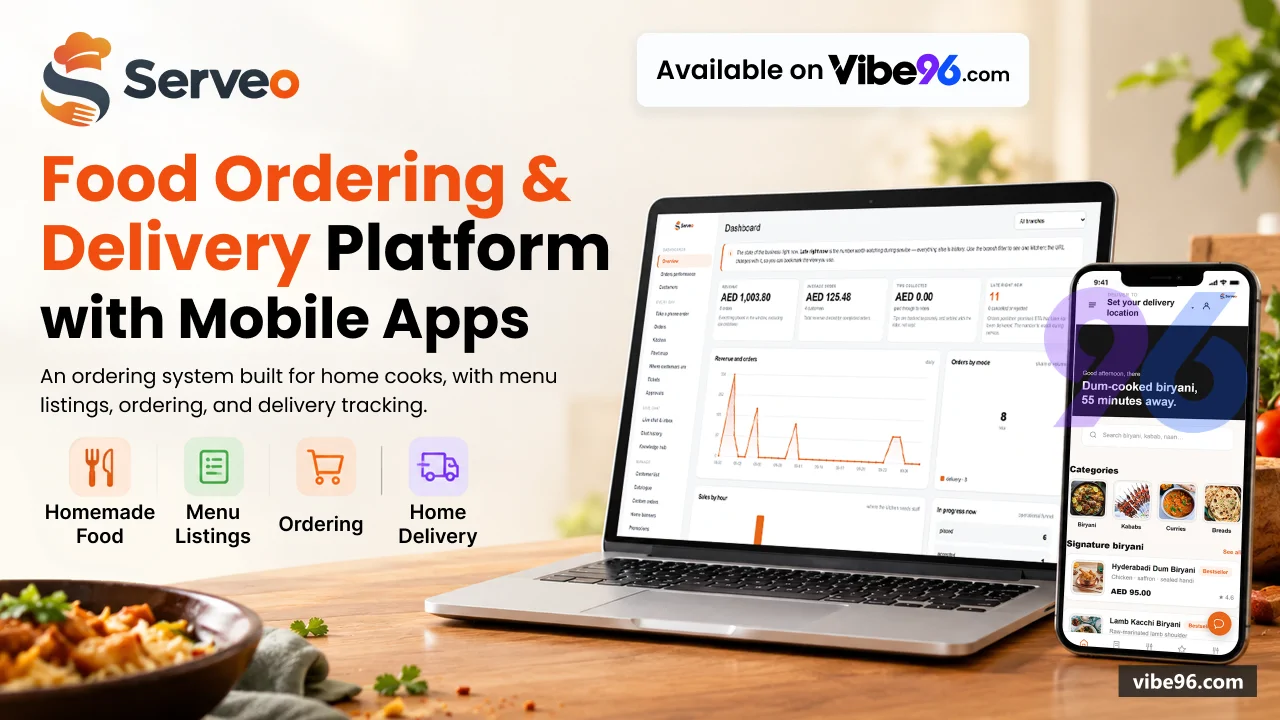
About this software
About Servo - Restaurant Delivery Manager
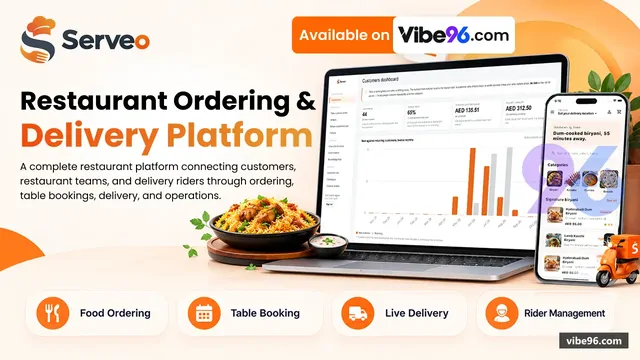
Serveo runs the whole restaurant operation from one codebase and one SQL Server database. Five user-facing surfaces share the same deployment: a customer PWA for ordering and tracking, a rider PWA for delivery agents, a branch portal with kitchen display and table management, a head-office console for catalogue and operations, and a QR menu for dine-in. The platform handles delivery, takeaway, dine-in and catering enquiries with server-side pricing, automatic rider assignment by road distance, live tracking over SignalR, table reservations with a visual floor plan, and an AI chat assistant backed by Claude.
Why Servo - Restaurant Delivery Manager
What makes it better
than the alternatives
- 01
One deployment serves five surfaces
- 02
Server-side pricing engine calculates VAT
Delivery fees, promotions, loyalty and tips in PricingService
- 03
Row-level security enforced by SQL Server session
Context
- 04
Automatic rider assignment by real road distance
From Google Maps, with manual override and a rider simulator for demonstrations
- 05
AI chat assistant with Claude integration
Knowledge base and handover to human agents when the bot cannot answer
Customer Ordering (PWA)
- Browse menu by category with allergen warnings and item availability
- Four order modes: delivery
- takeaway
- dine-in and catering enquiries
- Server-side cart pricing with promotions
- loyalty points
- delivery fees and tips
- Scheduled orders
- gift orders with recipient and message
- contactless delivery notes
- Live rider tracking on a map with ETA and remaining distance
- Order history
- reorder
- rate and review
- report issues
- Table reservations with availability check and visual floor plan
- Guest checkout or verified account via one-time SMS code (OtpService)
- Installable PWA with offline support and push notifications
Delivery Agent App (PWA)
- Shift control: clock in
- clock out
- break
- earnings summary
- Job offers with distance
- fee and accept/decline
- Turn-by-turn navigation with Google Maps polyline
- Handover code verification
- photo and signature proof of delivery
- Failed delivery reasons and cash reconciliation
- Trip fees calculated from configurable settings (base fee
- per-km rate
- time-based multipliers)
- Live position broadcast over SignalR for customer tracking
- Rider simulator for demonstrations (RiderSimulatorService)
- Installable PWA
- works without sign-in when Demo:OpenRiderApi is on
Branch Portal & Kitchen Display
- Live ticket queue with audible alert and allergen highlighting
- Accept
- reject with reason
- advance through validated state machine (OrderStateMachine)
- Per-item availability toggle
- prep-time extension under load
- branch pause
- Manual rider assignment override with distance and availability check
- Table plan with reservation status
- call-waiter alerts (bill
- assistance
- complaint)
- Catering enquiry queue with quoted quantities and status tracking
- Branch reports: sales
- top items
- order counts
- rider performance
- Per-branch opening hours including Ramadan schedule
- delivery zones as polygons
- Permissions: OrdersView
- OrdersManage
- MenuAvailability
- TablesManage
- ReportsBranch
Head Office Console
- Catalogue: items
- categories
- modifiers
- allergens
- promotions with usage caps
- Branch management: hours
- modes
- delivery zones
- prep times
- service fees
- Rider fleet: onboarding
- vehicle assignment
- earnings
- shift history
- Order dashboard: live queue
- search
- detail
- manual status override
- refunds
- Customer insights: map
- order history
- loyalty tier
- wallet balance
- reviews
- Live chat inbox with AI assistant handover and knowledge base (AssistantService)
- Promotions: discount types
- per-customer limits
- date ranges
- branch restrictions
- Banners for customer home screen with image upload and ordering
- Users and permissions: 18 granular permissions (Perm constants in Permissions.cs)
- Reports: sales performance
- customer cohorts
- rider efficiency
- order trends
Dine-In QR Menu
- Scan QR code at table
- browse menu
- order without account or install
- Table service: call waiter for bill
- assistance or complaint (TableCall)
- Order status updates over SignalR
- kitchen prepares and delivers to table
- Reservation system with availability check and visual floor plan
- Table auto-release after reservation duration (TableReleaseService)
- No sign-in required
- orders linked to table number and session
Pricing & Promotions
- PricingService calculates all prices server-side: VAT
- delivery fee
- service charge
- promotions
- loyalty
- tips
- Promotions: percentage or fixed discount
- minimum order
- usage caps
- per-customer limits
- Loyalty points earned and redeemed
- customer tiers with benefits
- Delivery fees from zone polygons or distance-based calculation
- Service charge configurable per branch and mode (BranchMode.ServiceFeePct)
- Promo validation endpoint checks code against order before placement
- Cart pricing endpoint returns itemised breakdown with all fees visible
Delivery & Routing
- Automatic rider assignment by real road distance from Google Maps (AssignmentService)
- Delivery zones as polygons with per-zone fees
- minimums and ETAs
- Serviceability check before cart: lat/lng → nearest branch
- zone
- fee
- ETA
- Route polyline stored and sent to customer for live tracking
- Rider position updates over SignalR
- ETA recalculated from remaining distance
- Manual assignment override in branch portal and HQ console
- Rider simulator moves ghost riders around the map for demonstrations (RiderSimulationState)
- Failed delivery reasons: customer unavailable
- wrong address
- refused
- other
Chat & AI Assistant
- Customer chat bubble in app
- conversations addressed by random reference
- AI assistant powered by Claude (Anthropic API)
- configurable greeting and model
- Knowledge base: upload documents
- assistant answers from them (AssistantService)
- Handover to human agent when AI cannot answer or customer requests it
- Agent inbox in HQ console: open conversations
- message history
- resolve
- Chat history and analytics: conversation count
- handover rate
- resolution time
- Settings: enable/disable AI
- API key
- model
- greeting
- handover threshold
- Works without AI: every conversation goes straight to human agent when disabled
Reservations & Tables
- Table plan with visual floor plan
- seat count
- status (available
- reserved
- occupied
- blocked)
- Reservation availability check: which tables are free at a requested time
- Book by phone or from customer app
- reference generated (RSV-1234)
- Reservation status: confirmed
- seated
- completed
- cancelled
- no-show
- Table auto-release after duration (TableReleaseService runs every 5 minutes)
- Call-waiter alerts: bill
- assistance
- complaint
- resolved by branch staff
- Reservation cancellation by customer (own bookings only) or branch
- Per-branch table configuration
add/edit/blocktables in branch portal
Security & Permissions
- Two cookie schemes: staff (AuthSchemes.Staff) and customer (AuthSchemes.Customer)
- Staff sign-in with lockout
- hash check
- login history (StaffSignInService)
- Customer sign-in: verified by one-time SMS code or guest checkout (CustomerAuthService)
- 18 granular permissions: OrdersView
- OrdersManage
- MenuEdit
- RidersManage
- ReportsHq
- etc.
- Row-level security: BranchIsolationPolicy filters 10 tables by SESSION_CONTEXT('BranchId')
- Order ownership: [RequireOrderAccess] checks customer or staff can read/modify order
- Request audit: structured logging with user
- correlation id
- outcome (RequestAuditMiddleware)
- Rate limiting: auth endpoints
- order placement
- promo validation (RateLimitingSetup)
- No credentials in source: appsettings.json has local defaults and empty placeholders
| Language | Version | Framework | Used for | Share of code |
|---|---|---|---|---|
| C# | — | — | Web, API, admin | 34% |
| JavaScript | — | — | Front-end | 31.4% |
| SQL | — | — | Database | 14.2% |
| C# (Razor) | — | — | Web pages | 10.9% |
| CSS | — | — | Styling | 7.2% |
| HTML | — | — | Front-end | 2.2% |
- Primary language
- C# 12 / .NET 9
- Framework
- ASP.NET Core 9 MVC
- Database
- SQL Server 2019+
- Authentication
- Cookie (dual-scheme: staff + customer), Google OAuth optional
- Licence
- Single-site
- Screens
- 42
- Database tables
- 47
- Supported languages
- en-AE, ar-AE (RTL supported)
- Browser support
- Modern browsers (ES6+), PWA-capable (Chrome, Safari, Edge)
| Minimum | Recommended | |
|---|---|---|
| CPU | 2 vCPU | 4 vCPU |
| RAM | 4 GB RAM / 20 GB storage | 8 GB RAM / 40 GB storage |
| OS | Linux (Ubuntu 22.04+) or Windows Server 2019+, .NET 9 Runtime, SQL Server 2019+ | Linux (Ubuntu 22.04+) or Windows Server 2019+, .NET 9 Runtime, SQL Server 2019+ |
| Est. monthly hosting | $35 | $35 |
```bash
cp .env.example .env
# Edit .env: set SA_PASSWORD and STAFF_PASSWORD (20+ chars, mixed case/digits/symbols)
docker compose up -d
# App: http://localhost:8080, DB: localhost:1433
```
```bash
# Install .NET 9 Runtime
wget https://dot.net/v1/dotnet-install.sh
chmod +x dotnet-install.sh
./dotnet-install.sh --channel 9.0 --runtime aspnetcore

# Install SQL Server 2019+
curl https://packages.microsoft.com/keys/microsoft.asc | sudo tee /etc/apt/trusted.gpg.d/microsoft.asc
sudo add-apt-repository "$(wget -qO- https://packages.microsoft.com/config/ubuntu/22.04/mssql-server-2019.list)"
sudo apt-get update
sudo apt-get install -y mssql-server
sudo /opt/mssql/bin/mssql-conf setup

# Create database
sqlcmd -S localhost -U sa -P '<SA_PASSWORD>'
CREATE DATABASE Serveo;
GO
USE Serveo;
GO
# Run database/schema.sql then database/seed.sql

# Deploy app
cd /var/www/serveo
dotnet publish -c Release -o ./publish
export ConnectionStrings__Default="Server=localhost;Database=Serveo;User Id=sa;Password=<SA_PASSWORD>;Encrypt=True;TrustServerCertificate=True"
export Demo__StaffPassword="<STAFF_PASSWORD>"
cd publish
dotnet Serveo.Web.dll
# Configure reverse proxy (nginx/Apache) to port 5080
```
```powershell
# Install .NET 9 Hosting Bundle
Invoke-WebRequest -Uri https://dotnet.microsoft.com/download/dotnet/9.0 -OutFile dotnet-hosting.exe
.\dotnet-hosting.exe /install /quiet /norestart

# Install SQL Server 2019+, create Serveo database, run schema.sql + seed.sql

# Publish
dotnet publish -c Release -o C:\inetpub\serveo

# Set environment variables in IIS App Pool or web.config:
# ConnectionStrings__Default=Server=.;Database=Serveo;Trusted_Connection=True;Encrypt=True;TrustServerCertificate=True
# Demo__StaffPassword=<STAFF_PASSWORD>

# Create IIS site pointing to C:\inetpub\serveo, app pool .NET CLR Version: No Managed Code
iisreset
```
```bash
az group create --name serveo-rg --location eastus
az sql server create --name serveo-sql --resource-group serveo-rg --location eastus --admin-user sqladmin --admin-password '<SQL_PASSWORD>'
az sql db create --resource-group serveo-rg --server serveo-sql --name Serveo --service-objective S1
az webapp create --resource-group serveo-rg --plan serveo-plan --name serveo-app --runtime "DOTNET:9.0"

# Run schema.sql + seed.sql against Azure SQL
# Set app settings:
az webapp config appsettings set --resource-group serveo-rg --name serveo-app --settings \
  ConnectionStrings__Default="Server=serveo-sql.database.windows.net;Database=Serveo;User Id=sqladmin;Password=<SQL_PASSWORD>;Encrypt=True" \
  Demo__StaffPassword="<STAFF_PASSWORD>"

# Deploy
cd "NET Project/src/Serveo.Web"
dotnet publish -c Release
cd bin/Release/net9.0/publish
zip -r ../../../../../deploy.zip .
az webapp deployment source config-zip --resource-group serveo-rg --name serveo-app --src deploy.zip
```
Quality report
Manually reviewedHow to read the quality report
What this is. Every project on Vibe96 goes through an automated audit of its source code before a reviewer in Dubai checks it by hand. The score is out of 100; 75 is the minimum to be listed, and any single failing check blocks a listing regardless of the score.
- Security
- No real credentials in the code, every data-changing route protected, admin areas role-gated, no SQL built from user input.
- Code structure
- A developer can navigate and extend it: clear module boundaries, no giant files, little copy-paste.
- Docs & completeness
- The setup guide, example config, schema and required files the builder committed to are actually in the archive.
- Dependency health
- Packages pinned, no known critical vulnerabilities, no abandoned libraries in production paths.
- Build & deploy
- A clean machine can restore, build and start it by following the shipped instructions.
Warnings are problems that didn't block the listing; they stay visible here until a later version clears them. The audit reads the code — it does not run it — so always try the live demo before you buy. Lines of code are counted from the same audited archive.
Reviewer notes (2 minor)
Strong authentication and role checks; minor ownership gaps on read endpoints; no real credentials found; weak defaults and example patterns need hardening before production. None of these stop the software from working; the developer has been told and improvements come in a future update.
Versions & updates
No updates yet. New versions appear here with a changelog.
Buyers receive updates free for 1 year.
What you get
- </>Full source codeThe complete audited source, delivered as a download from your account. No obfuscation.
- ▤DocumentationSetup guide, architecture notes, CLAUDE.md and AGENTS.md.
- ↻One year of updatesEvery new version the builder publishes, free for 12 months.
- ♧30 days of supportInstallation and defect support through Vibe96 tickets.