 Built by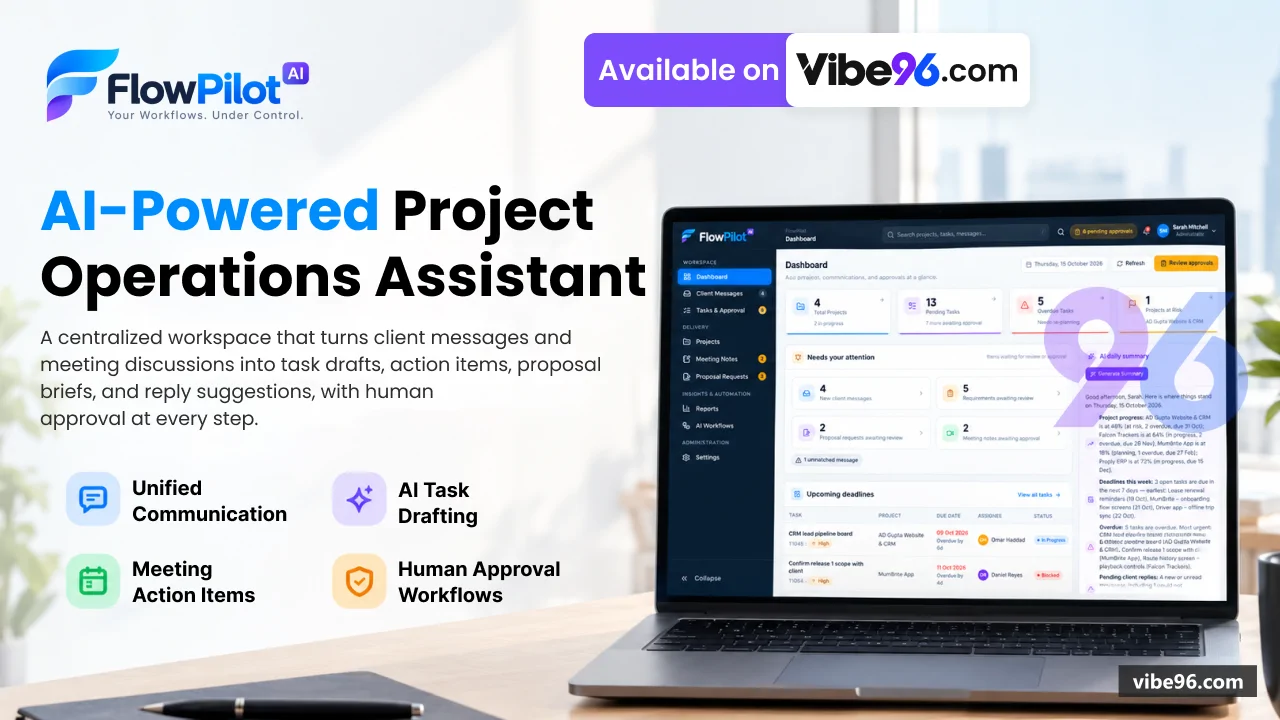
About this software
About FlowPilot-AI
FlowPilot AI watches client communication channels (Gmail, Slack, Microsoft Teams, WhatsApp Business) and meeting tools (Google Meet, Fathom), uses AI (Claude, OpenAI or Azure OpenAI) to turn requests into task drafts, meeting action items, proposal briefs and client replies, and puts every one of them through a human approval gate before anything is created or sent. Built with ASP.NET Core MVC on .NET 10 and SQL Server (ADO.NET, parameterised queries, no ORM). Three roles: Administrator (everything), Project Manager (all projects, approvals, replies), Team Member (own projects only, cannot approve).
Why FlowPilot-AI
What makes it better
than the alternatives
- 01
Human approval first
AI never acts autonomously; every task, reply and proposal brief requires explicit approval before creation or sending
- 02
Unified inbox
Gmail, Slack, Microsoft Teams and WhatsApp messages in one view with AI analysis (facts vs suggestions) and project matching
- 03
Meeting intelligence
Google Meet and Fathom imports with AI-extracted decisions, action items and follow-up email drafts
- 04
Proposal workflow
Detects proposal requests, extracts requirements, generates versioned briefs with approval before marking as sent
- 05
Rule-based fallback
Works without AI keys using clearly labelled rule-based analysis; integrations show 'Not Connected' until configured
Dashboard
- KPIs: open tasks
- pending approvals
- unread messages
- active projects
- Upcoming deadlines and recent activity across all projects
- Client follow-ups requiring action
- Workflow status and AI daily summary
- Project health overview
Client Messages
- Unified inbox for Gmail
- Slack
- Microsoft Teams
- WhatsApp Business
- AI analysis: facts vs suggestions
- urgency
- sentiment
- extracted requirements
- Automatic project matching via keywords and sender history
- Manual message capture for offline communications
- Conversation threading and read/unread tracking
- Filter by project
- status (unread
- reviewed
- unmatched)
- channel
Reply to Clients
- Draft → approval → send workflow with idempotency
- AI-generated reply suggestions based on message context
- Channel-specific rules (email
- Slack
- Teams
- WhatsApp)
- Attachment support
- Delivery reconciliation and status tracking
- Template library for common responses
Tasks & Approval
- Approval queue for AI task drafts
- replies and proposal briefs
- Approve
- reject or request clarification actions
- Edit drafts before approval
- Audit trail of all approval decisions
- Configurable approval policy (auto-approve
- require approval
- manager-only)
- Bulk actions on pending items
All Tasks
- Filter by project
- assignee
- status
- priority
- deadline
- Sort by due date
- priority
- creation date
- CSV export (formula-injection safe)
- Assign
- reassign and comment on tasks
- Status history and audit log per task
- Task creation from messages
- meetings or manual entry
Projects
- Project creation with name
- client
- manager
- team members
- keywords
- Status tracking (Planning
- Active
- On Hold
- Completed
- Cancelled)
- Health indicators (On Track
- At Risk
- Blocked)
- Project-level view of tasks
- messages
- meetings
- proposals
- Team member management with role-based access
- Activity timeline and KPIs per project
- Unmatched messages and meetings triage
Meeting Notes
- Google Meet and Fathom transcript imports
- Manual meeting note entry
- AI summary: key points
- decisions
- action items
- Participant tracking and project linking
- Follow-up email draft generation
- Action items converted to task drafts for approval
- Meeting insights: sentiment
- topics
- next steps
Proposal Requests
- Automatic detection of proposal requests in messages
- Extracted requirements and scope
- Versioned brief generation with AI
- Approval workflow before marking as sent
- Status tracking (Detected
- In Progress
- Ready for Approval
- Approved
- Sent
- Declined)
- Brief regeneration with AI
- Proposal history and audit trail
Reports
- KPIs: tasks completed
- messages processed
- meetings held
- proposals sent
- Daily report with AI-generated summary
- Workflow activity: executions
- successes
- failures
- Integration failure log with retry status
- CSV export of project data (formula-injection safe)
- Time range filters (1
- 7
- 30
- 90 days)
- Project-level drill-down
AI Workflows
- Message → task draft workflow
- Meeting → action items workflow
- Proposal detection and brief generation
- Reply sending workflow
- Test runs with dry-run mode
- Retry failed executions
- Execution history and logs
- Workflow statistics and performance metrics
Settings
- Integration management: OAuth/API keys (encrypted with ASP.NET Core Data Protection)
- AI provider configuration: Claude
- OpenAI
- Azure OpenAI or Disabled
- Monitoring rules and alert thresholds
- Approval policy: auto-approve
- require approval
- manager-only
- User management: create
- edit
- deactivate
- reset password
- Role assignment: Administrator
- Project Manager
- Team Member
- Audit log: all data-changing actions with user
- timestamp
- outcome
- Notification preferences per user
| Language | Version | Framework | Used for | Share of code |
|---|---|---|---|---|
| C# | — | — | Web, API, admin | 43.8% |
| CSS | — | — | Styling | 25.8% |
| SQL | — | — | Database | 13% |
| C# (Razor) | — | — | Web pages | 12.6% |
| HTML | — | — | Front-end | 2.6% |
| JavaScript | — | — | Front-end | 1.3% |
| Python | — | — | Web, API | 0.9% |
- Primary language
- C# 13 (.NET 10)
- Framework
- ASP.NET Core MVC 10.0
- Database
- SQL Server 2019+
- Authentication
- Cookie-based (ASP.NET Core Identity primitives, no external provider)
- Licence
- Single-site
- Screens
- 47
- Database tables
- 23
- Supported languages
- English only
- Browser support
- Modern browsers (Chrome, Firefox, Safari, Edge — ES6+)
| Minimum | Recommended | |
|---|---|---|
| CPU | 2 vCPU | 4 vCPU |
| RAM | 4 GB RAM / 20 GB SSD | 8 GB RAM / 40 GB SSD |
| OS | Linux (Ubuntu 22.04+) or Windows Server 2019+ with .NET 10 runtime | Linux (Ubuntu 22.04+) or Windows Server 2019+ with .NET 10 runtime |
| Est. monthly hosting | $25 | $25 |
```bash
cp .env.example .env
# Edit .env: set MSSQL_SA_PASSWORD, FLOWPILOT_ConnectionStrings__FlowPilot, AI keys, integration secrets
docker-compose up -d
# App runs on http://127.0.0.1:5000; initial admin password in App_Data/initial-credentials.txt
```
```bash
# Install .NET 10 SDK
wget https://dot.net/v1/dotnet-install.sh
chmod +x dotnet-install.sh
./dotnet-install.sh --channel 10.0

# Install SQL Server 2022 (or use remote instance)
curl https://packages.microsoft.com/keys/microsoft.asc | sudo tee /etc/apt/trusted.gpg.d/microsoft.asc
sudo add-apt-repository "$(wget -qO- https://packages.microsoft.com/config/ubuntu/22.04/mssql-server-2022.list)"
sudo apt-get update && sudo apt-get install -y mssql-server
sudo /opt/mssql/bin/mssql-conf setup

# Create database
sqlcmd -S localhost -U sa -P '<SA_PASSWORD>' -i database/schema.sql
sqlcmd -S localhost -U sa -P '<SA_PASSWORD>' -i database/seed.sql

# Build and run
cd "NET Project"
export FLOWPILOT_ConnectionStrings__FlowPilot="Server=localhost;Database=FlowPilot;User Id=flowpilot_app;Password=<APP_PASSWORD>;Encrypt=True;TrustServerCertificate=True"
export FLOWPILOT_Integrations__PublicBaseUrl="https://flowpilot.example.com"
dotnet publish src/FlowPilot.Web -c Release -o /var/www/flowpilot
sudo systemctl enable --now /etc/systemd/system/flowpilot.service
# Reverse proxy with nginx/Caddy on port 443
```
```powershell
# Install .NET 10 Hosting Bundle from https://dotnet.microsoft.com/download/dotnet/10.0
# Create SQL Server database (run schema.sql + seed.sql in SSMS)
# Publish from Visual Studio or:
cd "NET Project"
dotnet publish src\FlowPilot.Web -c Release -o C:\inetpub\flowpilot
# Set environment variables in web.config or IIS Application Settings:
# FLOWPILOT_ConnectionStrings__FlowPilot, FLOWPILOT_Integrations__PublicBaseUrl, AI keys
# Create IIS site pointing to C:\inetpub\flowpilot, app pool .NET CLR Version: No Managed Code
# Initial admin password in App_Data\initial-credentials.txt
```
```bash
# Requires SQL Server (Docker or local instance)
docker run -e "ACCEPT_EULA=Y" -e "MSSQL_SA_PASSWORD=YourStrong!Passw0rd" -p 1433:1433 -d mcr.microsoft.com/mssql/server:2022-latest
sleep 30
sqlcmd -S localhost -U sa -P 'YourStrong!Passw0rd' -Q "CREATE DATABASE FlowPilot"
sqlcmd -S localhost -U sa -P 'YourStrong!Passw0rd' -d FlowPilot -i database/schema.sql
sqlcmd -S localhost -U sa -P 'YourStrong!Passw0rd' -d FlowPilot -i database/seed.sql

cd "NET Project"
export FLOWPILOT_ConnectionStrings__FlowPilot="Server=localhost;Database=FlowPilot;User Id=sa;Password=YourStrong!Passw0rd;Encrypt=True;TrustServerCertificate=True"
export ASPNETCORE_ENVIRONMENT=Development
dotnet run --project src/FlowPilot.Web
# Open http://127.0.0.1:5181; admin password in src/FlowPilot.Web/App_Data/initial-credentials.txt
```
Quality report
Manually reviewedHow to read the quality report
What this is. Every project on Vibe96 goes through an automated audit of its source code before a reviewer in Dubai checks it by hand. The score is out of 100; 75 is the minimum to be listed, and any single failing check blocks a listing regardless of the score.
- Security
- No real credentials in the code, every data-changing route protected, admin areas role-gated, no SQL built from user input.
- Code structure
- A developer can navigate and extend it: clear module boundaries, no giant files, little copy-paste.
- Docs & completeness
- The setup guide, example config, schema and required files the builder committed to are actually in the archive.
- Dependency health
- Packages pinned, no known critical vulnerabilities, no abandoned libraries in production paths.
- Build & deploy
- A clean machine can restore, build and start it by following the shipped instructions.
Warnings are problems that didn't block the listing; they stay visible here until a later version clears them. The audit reads the code — it does not run it — so always try the live demo before you buy. Lines of code are counted from the same audited archive.
91/ 100
Automated audit score
✓ Passed the auditReviewer notes (3 minor)
Clean architecture with minor duplication and some configuration hard-coding; strong authentication & role guards; minor ownership gaps on read endpoints; weak default credentials and test secrets present; no real production credentials found. None of these stop the software from working; the developer has been told and improvements come in a future update.
Versions & updates
No updates yet. New versions appear here with a changelog.
Buyers receive updates free for 1 year.
What you get
- </>Full source codeThe complete audited source, delivered as a download from your account. No obfuscation.
- ▤DocumentationSetup guide, architecture notes, CLAUDE.md and AGENTS.md.
- ↻One year of updatesEvery new version the builder publishes, free for 12 months.
- ♧30 days of supportInstallation and defect support through Vibe96 tickets.