 Built by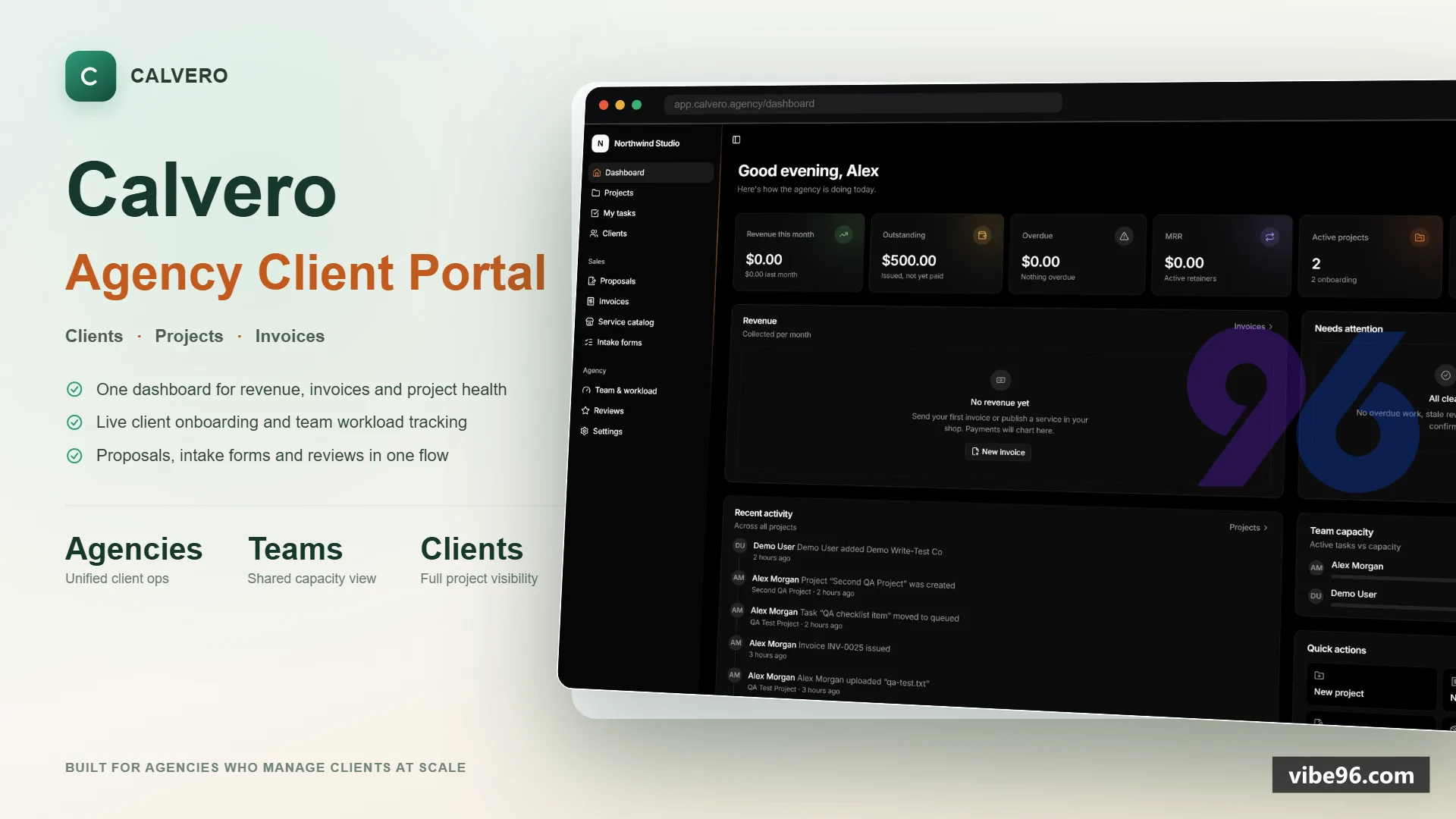
About this software
About Agency Client Portal & Billing Platform
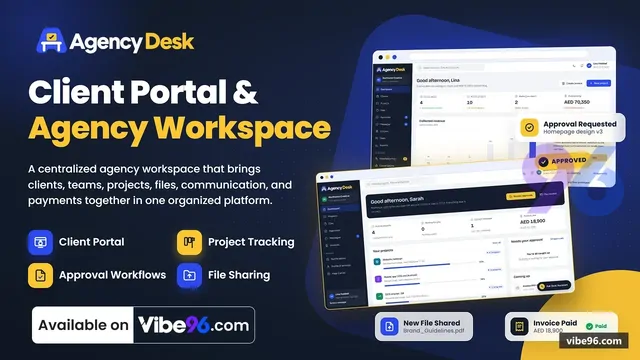
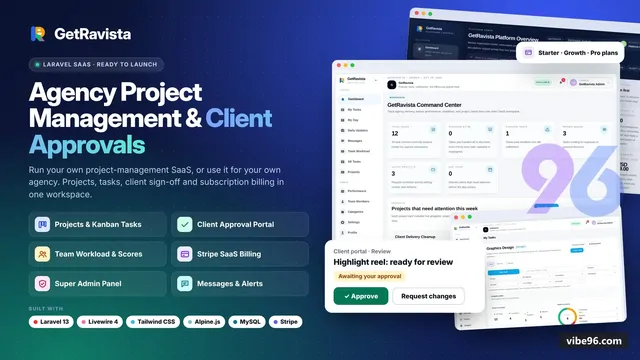
It is a white-label client portal for agencies - one self-hosted application where an agency sells services, onboards clients, runs projects, collects approvals, and gets paid, all under its own brand.
It replaces the usual pile of disconnected tools agencies stitch together (a proposal tool, a project manager, a file-sharing link, an invoicing app, a review-request email) with a single portal that looks like the agency built it themselves.
WHAT PROBLEM IT SOLVES
Agencies - design studios, dev shops, marketing teams, and other productized service businesses - typically run client work through scattered email threads, spreadsheets for tracking status, a separate e-signature tool for proposals, a separate invoicing tool for billing, and a separate file-sharing link for deliverables. Clients have no single place to log in and see what's happening. Feedback and approvals happen in email, so there's no record of what was actually signed off.
Calvero puts all of it behind one login: the agency's own branded portal, where a client can log in once and see their projects, pay an invoice, approve a design, or share a password securely - and the agency can see every client, every project, and every dollar in one dashboard.
TARGET AUDIENCE
Digital agencies, design studios, dev shops - get a branded client portal they can sell projects and retainers through, without building software themselves.
Marketing teams and consultants running retainer clients - get a request queue and billing system built for ongoing monthly work, not just one-off projects.
Freelancers and small productized-service businesses - get a 24/7 self-serve storefront that takes orders and payments without a sales call.
Their clients - get a single, simple, branded place to onboard, approve work, pay invoices, and talk to the team, with no account needed on five different tools.
It is built as one agency per deployment: each agency runs its own copy, with its own branding, domain, and data, rather than many agencies sharing one multi-tenant platform.
CORE FEATURES
White-label branding and access
Agency logo, favicon, brand color, login background, and custom domain. Light, dark, and system theme. Passwordless magic-link login, plus one-time codes and optional email/password. Clients can invite their own colleagues with granular permissions (view only, approve deliverables, pay invoices, upload files).
Service catalog and self-serve checkout
A public storefront listing one-time packages and monthly retainers, with pricing tiers and add-ons. Cart, promo codes, order bumps, and checkout that creates the project automatically on payment. Custom proposals with a scope/pricing builder and a digital e-signature (typed or drawn) that converts into an invoice and project on acceptance.
Client onboarding
Drag-and-drop intake form builder, linked to specific services. A guided welcome checklist with a progress bar (watch a video, fill a brief, upload assets, book a call). An encrypted credentials vault for clients to share hosting/domain logins safely, with access logging and revocation.
Projects, tasks and retainers
Kanban and list boards with an "internal task" toggle so clients only see clean, high-level status. A visual milestone roadmap with automated status notifications. A retainer request queue with an enforced active-task limit and one-click pause.
Deliverables and approvals
A centralized file hub with embedded previews (Figma, Google Docs, Loom, staging sites). Formal "Approve" / "Request changes" workflow with a tracked revision counter and a timestamped approval log. Locked final files that show a watermarked preview and unlock automatically once the final invoice is paid.
Communication
Threaded comments on every task and deliverable, with mentions, reactions, and file/video attachments. A private "internal note" mode invisible to clients. Reply-by-email: replying to a notification email posts straight into the portal thread.
Billing
One-time, split-deposit, and recurring invoices with tax, automatic reminders, and PDF receipts. Stripe, PayPal, and bank transfer (with proof upload), all configured from Settings with built-in setup guides. A self-serve client billing tab: payment history, saved card, active retainers.
Growth and operations
A team workload dashboard (active tasks vs. capacity, overdue work, time tracking). An automatic review request when a project completes, with smart routing (high ratings prompt the client to post publicly; low ratings route privately to the owner). A client referral program with a unique link, click/signup tracking, and automatic credit.
HOW THE SYSTEM WORKS
Calvero is self-hosted, with one agency per deployment: the agency (or whoever deploys it on their behalf) runs it on their own server, so there is no shared multi-tenant SaaS and no per-seat fees to a third party.
The application is built on Next.js (App Router) with React on the frontend and server-rendered logic on the backend, using MongoDB as the primary database, Redis for caching, rate limiting, background jobs, and real-time pub/sub, and MinIO for private file and image storage (S3-compatible). A separate background worker process handles emails, payment reminders, recurring invoices, and notification digests, so the main web application stays fast and responsive. Caddy sits in front of everything as a reverse proxy, automatically issuing and renewing HTTPS certificates.
The whole stack (web app, worker, database, cache, file storage, reverse proxy) is deployed together with Docker Compose, so it can be brought up with a single command on any VPS or server. On first run, a setup wizard walks the agency owner through branding, currency, and initial configuration, with no manual config file editing required.
Security is handled throughout rather than only in the interface: every action is re-checked for authorization on the server, not just hidden in the UI; money is handled in integer minor units to avoid rounding errors; and sensitive values such as payment gateway keys and vault secrets are encrypted at rest.
Why Agency Client Portal & Billing Platform
What makes it better
than the alternatives
- 01
Single-tenant architecture
Each agency gets its own isolated deployment with full source code and database control
- 02
Pay-to-unlock deliverables
Clients approve proofs with revision limits, then pay to download final files without watermarks
- 03
Reply-by-email threading
Every project discussion and deliverable comment thread accepts replies via IMAP, parsed and attached to the correct context
- 04
Retainer request queues
Clients submit work requests that staff pull from a queue, tracked against monthly hours or credits
- 05
Productized service checkout
Self-serve storefront with add-ons, order bumps, and automatic project creation on payment
Service Catalog & Checkout
- Public storefront (/shop) with service cards
- detail pages
- and cart drawer
- One-time and recurring pricing
monthly/quarterly/yearlysubscriptions) - Add-ons
- order bumps
- promo codes with percentage/fixed discounts and expiry dates
- Stripe and PayPal checkout with automatic payment capture
- Custom proposals with line items
- e-signature collection
- and PDF export
- Magic-link login for returning clients (no password required)
- Automatic project creation and onboarding trigger on successful payment
Client Onboarding
- Drag-and-drop form builder with 9 field types (text
- textarea
- select
- multi-select
- radio
- checkbox
- date
- file upload
- heading)
- Conditional logic and field validation rules
- Guided welcome checklist with custom steps and completion tracking
- Encrypted credentials vault for storing API keys
- logins
- and sensitive data (AES-256-GCM)
- Automatic welcome email with portal access link
- Client profile with contacts
- billing address
- and custom fields
Project Management
- Kanban board and list views with drag-and-drop task reordering
- Task assignments
- due dates
- priority levels
- and time tracking
- Milestone roadmap with progress visualization
- Retainer request queues (clients submit requests
- staff pull and work them)
- Internal 'whisper' notes visible only to agency team
- File attachments on tasks and projects (stored in MinIO private bucket)
- Activity feed showing all project events and updates
- Client-facing and internal-only task visibility controls
Deliverable Proofing
- Upload deliverables with revision limits and approval workflow
- Embedded preview for images
- videos (YouTube/Vimeo)
- PDFs
- and external links
- Client approval/rejection with feedback comments
- Automatic watermark overlay on preview files (removed after payment)
- Pay-to-unlock final files (invoice generated on approval
- download enabled after payment)
- Revision counter and approval history log
- Email notifications on upload
- approval
- and rejection
Invoicing & Payments
- Invoice builder with line items
- tax rates
- deposits
- and partial payments
- Stripe and PayPal integration with automatic payment capture and webhook handling
- Bank transfer with proof-of-payment upload and manual approval
- Recurring retainer billing with automatic monthly invoice generation
- PDF invoice and receipt generation with custom branding
- Payment reminders (3 days
- 7 days
- 14 days overdue) via BullMQ jobs
- Invoice status tracking (draft
- sent
- paid
- overdue
- cancelled)
- Client payment history and outstanding balance dashboard
Communication
- Threaded comments on projects
- tasks
- and deliverables
- @mentions with email notifications
- Reply-by-email via IMAP (parsed and attached to correct thread using token in reply-to address)
- Internal whisper notes (visible only to agency team)
- Smart digest emails (daily/weekly summaries of activity)
- Markdown support in comments with file attachments
- Real-time updates via Server-Sent Events (Redis pub/sub)
- Configurable notification preferences per user
Team & Permissions
- Three roles: Owner (full access)
- Staff (project work
- no billing/settings)
- Client (view own projects only)
- Team member invites via email with magic-link or password setup
- Workload dashboard showing active projects and task assignments per team member
- Time tracking on tasks with manual entry and reporting
- Activity log showing all user actions (audit trail)
- User status management (active/disabled)
- Permission checks enforced in auth.policy.ts for every action
Growth Tools
- Review collector with smart routing (sends request after project completion)
- Client referral program with unique referral codes and commission tracking
- Revenue dashboard with charts (monthly recurring revenue
- one-time sales
- payment trends)
- Client lifetime value and project profitability reports
- Promo code usage analytics
- Email open/click tracking (via Nodemailer SMTP)
White-Label Branding
- Custom logo
- favicon
- and brand color (applied to UI and emails)
- Login screen background image and custom headline/subheadline
- Sender name and email address for all outgoing emails
- Custom sidebar links (e.g.
- link to agency website
- help docs)
- Light/dark mode toggle with system preference detection
- Custom domain support (configured via Caddy reverse proxy)
- PDF invoice branding (logo
- colors
- footer text)
Settings & Configuration
- Payment gateway setup (Stripe/PayPal test and live modes with API key validation)
- SMTP configuration for outgoing emails (host
- port
- auth
- sender address)
- IMAP configuration for reply-by-email (host
- port
- username
- password
- folder polling)
- Tax rate configuration (percentage
- label
- default on/off)
- Portal customization (name
- tagline
- login screen text
- sidebar links)
- Email template editor (welcome
- invoice
- reminder
- digest)
- Notification preferences (email frequency
- digest schedule)
- Demo mode toggle (blocks all mutations with 'this is a demo' dialog)
| Language | Version | Framework | Used for | Share of code |
|---|---|---|---|---|
| TypeScript (React) | — | — | Front-end | 62.7% |
| TypeScript | — | — | Front-end | 35.5% |
| JavaScript | — | — | Front-end | 0.8% |
| SQL | — | — | Database | 0.5% |
| CSS | — | — | Styling | 0.5% |
- Primary language
- TypeScript 5
- Framework
- Next.js 16.4.2 (App Router, React 19)
- Database
- MongoDB 8.0 (replica set required for transactions)
- Authentication
- Better Auth 1.7.10 (magic link, email OTP, email+password)
- Licence
- Single-site
- Screens
- 47
- Database tables
- 24
- Supported languages
- English only
- Browser support
- Modern browsers (ES2022+, no IE11)
| Minimum | Recommended | |
|---|---|---|
| CPU | 2 vCPU | 4 vCPU |
| RAM | 4 GB RAM / 20 GB disk | 8 GB RAM / 40 GB disk |
| OS | Node.js 24+, Docker 27+, Linux (Alpine or Ubuntu) | Node.js 24+, Docker 27+, Linux (Alpine or Ubuntu) |
| Est. monthly hosting | $25 | $25 |
```bash
cp .env.example .env
# Edit .env: set APP_URL, DOMAIN, ACME_EMAIL, BETTER_AUTH_SECRET, APP_ENCRYPTION_KEY, MINIO_ACCESS_KEY, MINIO_SECRET_KEY
docker compose up -d --build
# Visit https://yourdomain.com/setup to create first admin
```
```bash
cd "Node Project"
docker compose -f docker-compose.dev.yml up -d
cp .env.example .env.local
# Edit .env.local: set BETTER_AUTH_SECRET and APP_ENCRYPTION_KEY (openssl rand -base64 32)
npm install
npm run dev
# In separate terminal:
npm run worker
# Visit http://localhost:3000/setup
# Mailpit UI: http://localhost:8025
```
```bash
# Provision Ubuntu 24.04 VPS with Docker pre-installed
scp -r . root@your-server-ip:/opt/calvero
ssh root@your-server-ip
cd /opt/calvero
cp .env.example .env
nano .env  # Configure production values
docker compose up -d --build
# Caddy handles SSL automatically via Let's Encrypt
```
```bash
# Start infrastructure (MongoDB, Redis, MinIO, Mailpit)
docker compose -f docker-compose.dev.yml up -d
# Configure environment
cp .env.example .env.local
# Generate secrets: openssl rand -base64 32
# Edit .env.local with BETTER_AUTH_SECRET and APP_ENCRYPTION_KEY
npm install
npm run dev
# In new terminal: npm run worker
# Open http://localhost:3000/setup
```
Quality report
Manually reviewedHow to read the quality report
What this is. Every project on Vibe96 goes through an automated audit of its source code before a reviewer in Dubai checks it by hand. The score is out of 100; 75 is the minimum to be listed, and any single failing check blocks a listing regardless of the score.
- Security
- No real credentials in the code, every data-changing route protected, admin areas role-gated, no SQL built from user input.
- Code structure
- A developer can navigate and extend it: clear module boundaries, no giant files, little copy-paste.
- Docs & completeness
- The setup guide, example config, schema and required files the builder committed to are actually in the archive.
- Dependency health
- Packages pinned, no known critical vulnerabilities, no abandoned libraries in production paths.
- Build & deploy
- A clean machine can restore, build and start it by following the shipped instructions.
Warnings are problems that didn't block the listing; they stay visible here until a later version clears them. The audit reads the code — it does not run it — so always try the live demo before you buy. Lines of code are counted from the same audited archive.
Reviewer notes (5 minor)
Small improvements the developer has been told about. None of them stop the software from working.
Versions & updates
No updates yet. New versions appear here with a changelog.
Buyers receive updates free for 1 year.
What you get
- </>Full source codeThe complete audited source, delivered as a download from your account. No obfuscation.
- ▤DocumentationSetup guide, architecture notes, CLAUDE.md and AGENTS.md.
- ↻One year of updatesEvery new version the builder publishes, free for 12 months.
- ♧30 days of supportInstallation and defect support through Vibe96 tickets.